Everything you need to invoice and get paid
No accounting degree required. Just invoicing, payments, and the bits of tax admin that actually matter for a small NZ business.
Everything waiting on you, on one page
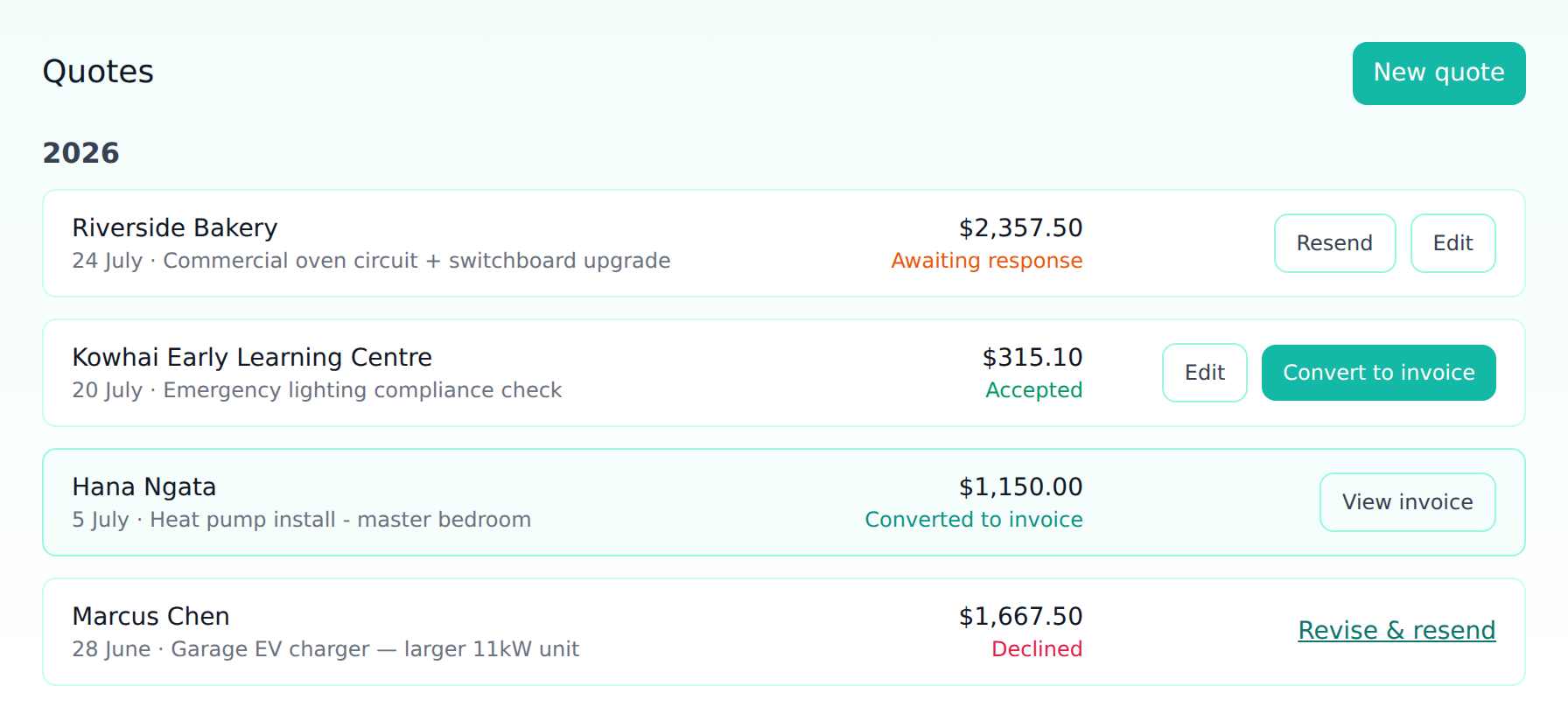
Needs your attention
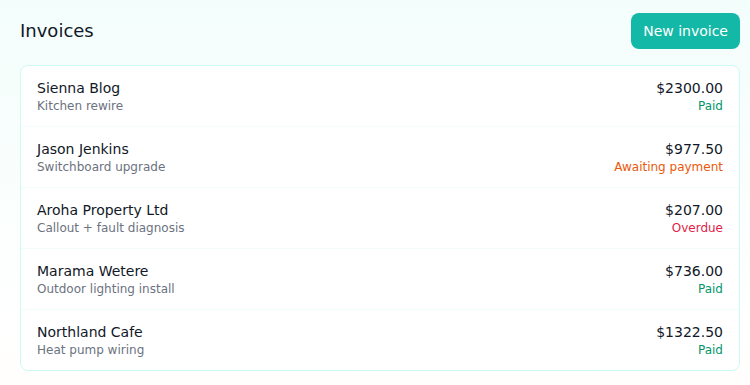
Overdue invoices with how many days late they are, jobs where the deposit landed and the balance is still to collect, and quotes nobody has replied to — each one a click away.
Outstanding and paid this month
What you're owed and what's actually landed, counted from real payments — so a deposit shows up the day it arrives, not when the job finally settles.
Recent activity
Your last quotes and invoices interleaved, newest first, so catching up doesn't mean checking two separate lists.
Invoicing
Itemized line items
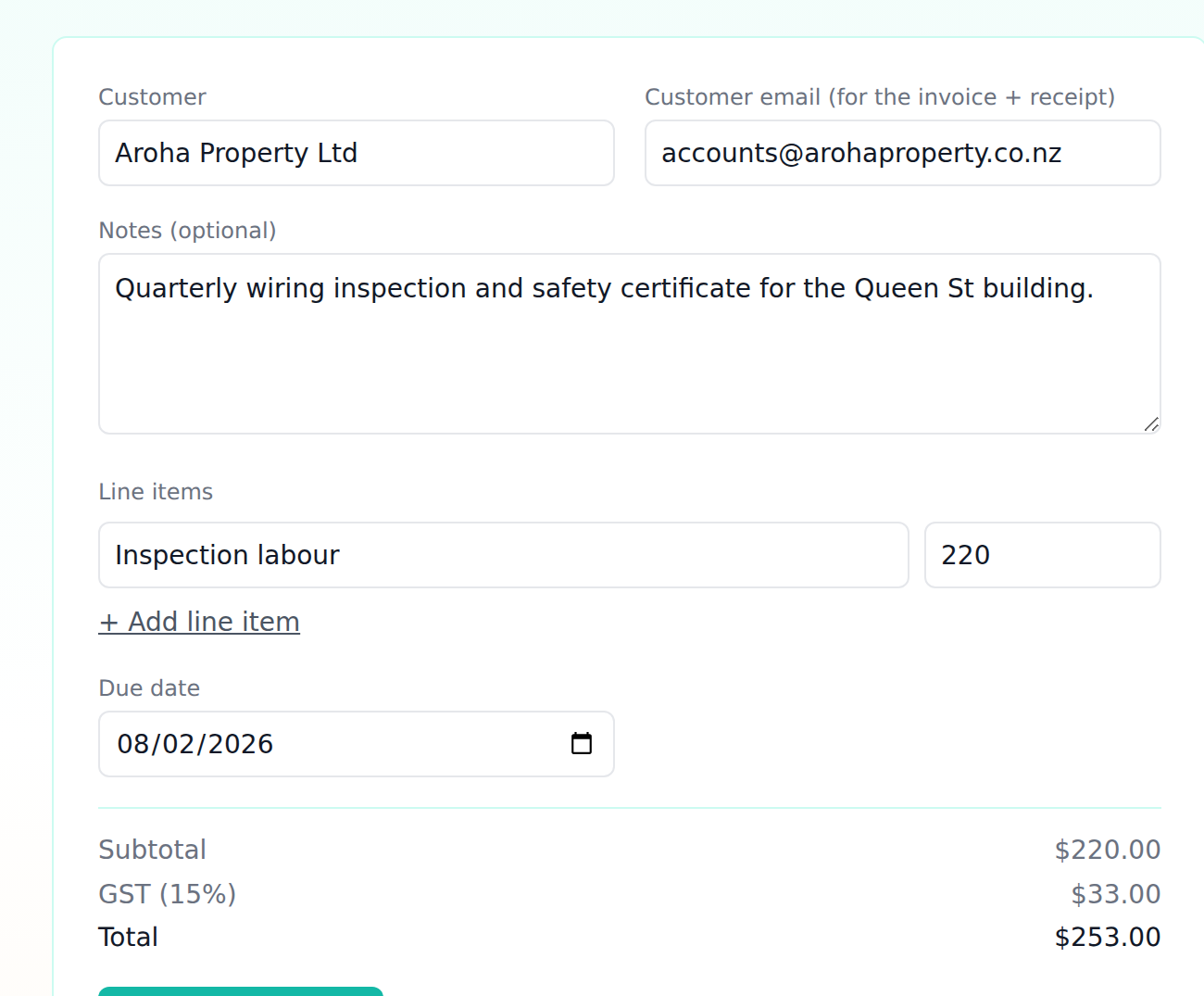
Break a job down into labour, parts, callout fees, whatever you need — with a live running total as you type.
Charge by the hour or the kilometre
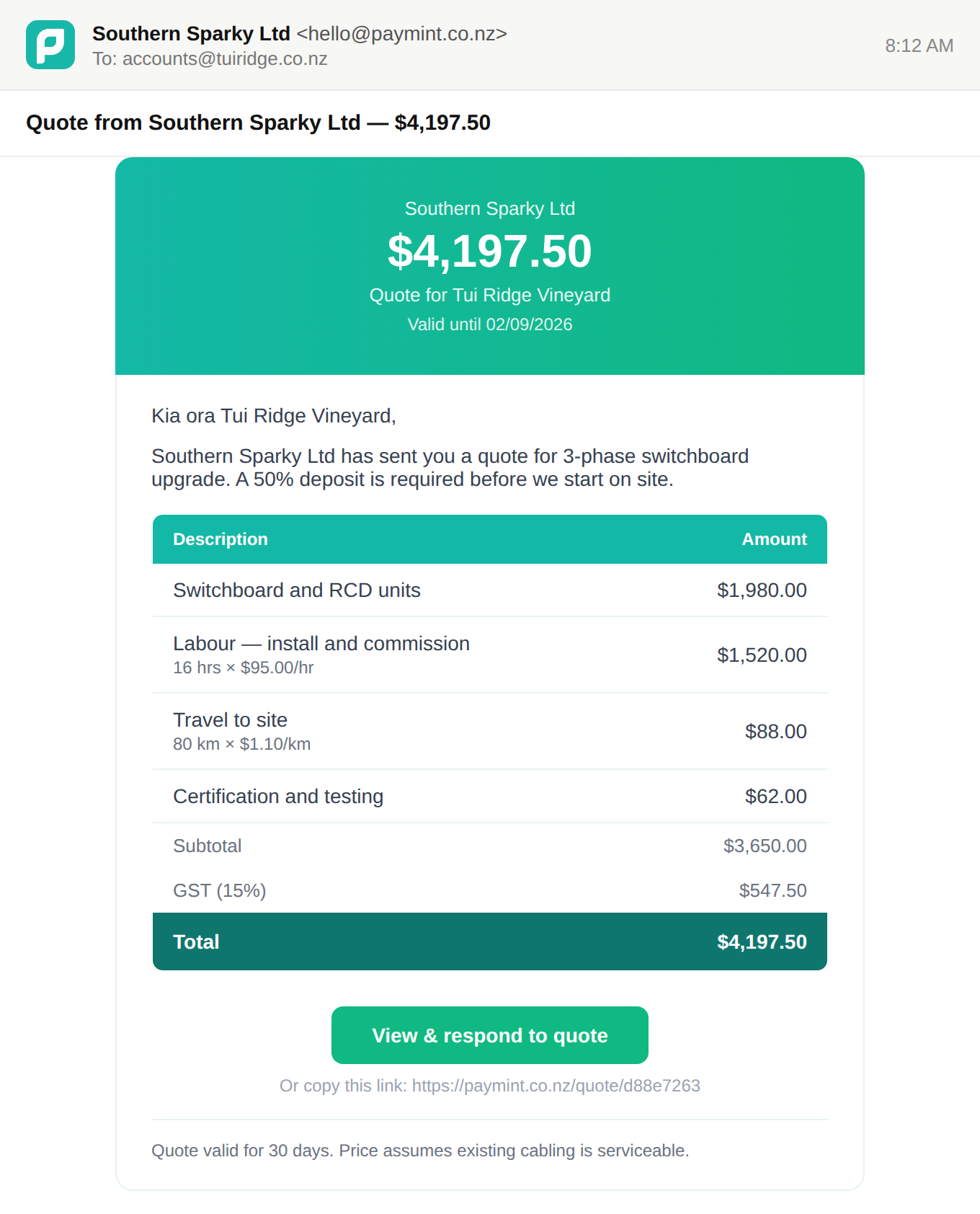
Set your hourly rate and your mileage rate once. After that a labour line asks for hours and a travel line asks for kilometres, and the amount works itself out — no doing the sums on your phone at the end of a job.
Show your working, or don't
The invoice can spell it out — "6 hrs × $95.00/hr" under the line — which is what stops customers querying the bill. Untick it for a fixed price where the hours were only how you got there.
GST calculated automatically
GST works out on the fly at 15%, or switches off entirely if you're not GST-registered — set once in Settings.
Edit or delete before paid
Fix a mistake or update a job any time before the customer pays. Once paid, it's locked in as an accurate record.
Overdue tracking + automatic reminders
Unpaid invoices past their due date are flagged "Overdue" on your dashboard — and your customer gets a reminder email the day it goes overdue, then every three days until it's paid. No chasing, no awkward phone call. You can resend the invoice yourself any time too.
Quotes
Send a quote first
Break the job into line items with a valid-until date, before any work starts — customers see exactly what they're agreeing to.
Accept or decline online
Your customer gets a branded quote email with a one-click link to accept or decline — no account needed on their end.
Convert to an invoice in one click
Once accepted, turn a quote straight into an invoice — the line items carry over, so nothing needs re-entering.
Custom quote terms
Set your own quote terms and conditions once in Settings — they show up on every quote automatically.
Getting paid
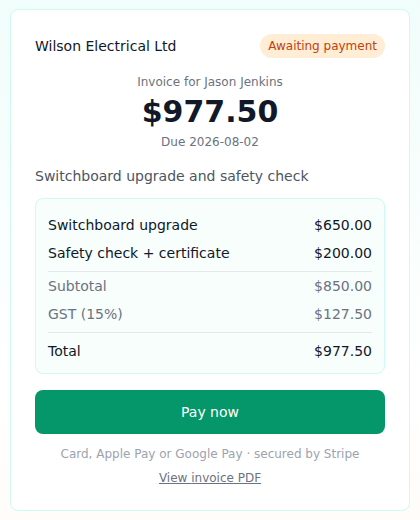
Card, Apple Pay, Google Pay
Your customer gets a one-click "Pay now" page — no account or app needed on their end.
Take a deposit, collect the balance later
Set a deposit percentage on any invoice and the customer sees "Pay deposit $2,098.75" alongside the full amount. When the job's done, one button asks them for what's left — and the same link shows the balance rather than the original total.
Money goes straight to you
Payments run through your own connected Stripe account and land directly in your bank — we never hold your money.
1% per paid invoice, that's it
No monthly fee, no setup cost, nothing if you don't invoice. You only pay when you actually get paid. Stripe's own card-processing fee applies on top, set by Stripe.
Absorb the card fee, or pass it on
One tick in Settings decides whether the cost of taking a card payment comes out of your money or your customer's. Pass it on and a $1,000 invoice banks you the full $1,000 — the fee is shown on the invoice, on the quote and on the payment page before your customer commits, and it only ever covers what the payment actually costs you.
Records & tax
Branded PDF invoices + receipts
Your logo, your line items, your GST breakdown — a proper PDF emailed automatically the moment a customer pays.
GST report
Pick a date range and get total sales and GST collected, ready for your GST return — plus a CSV export for your accountant.
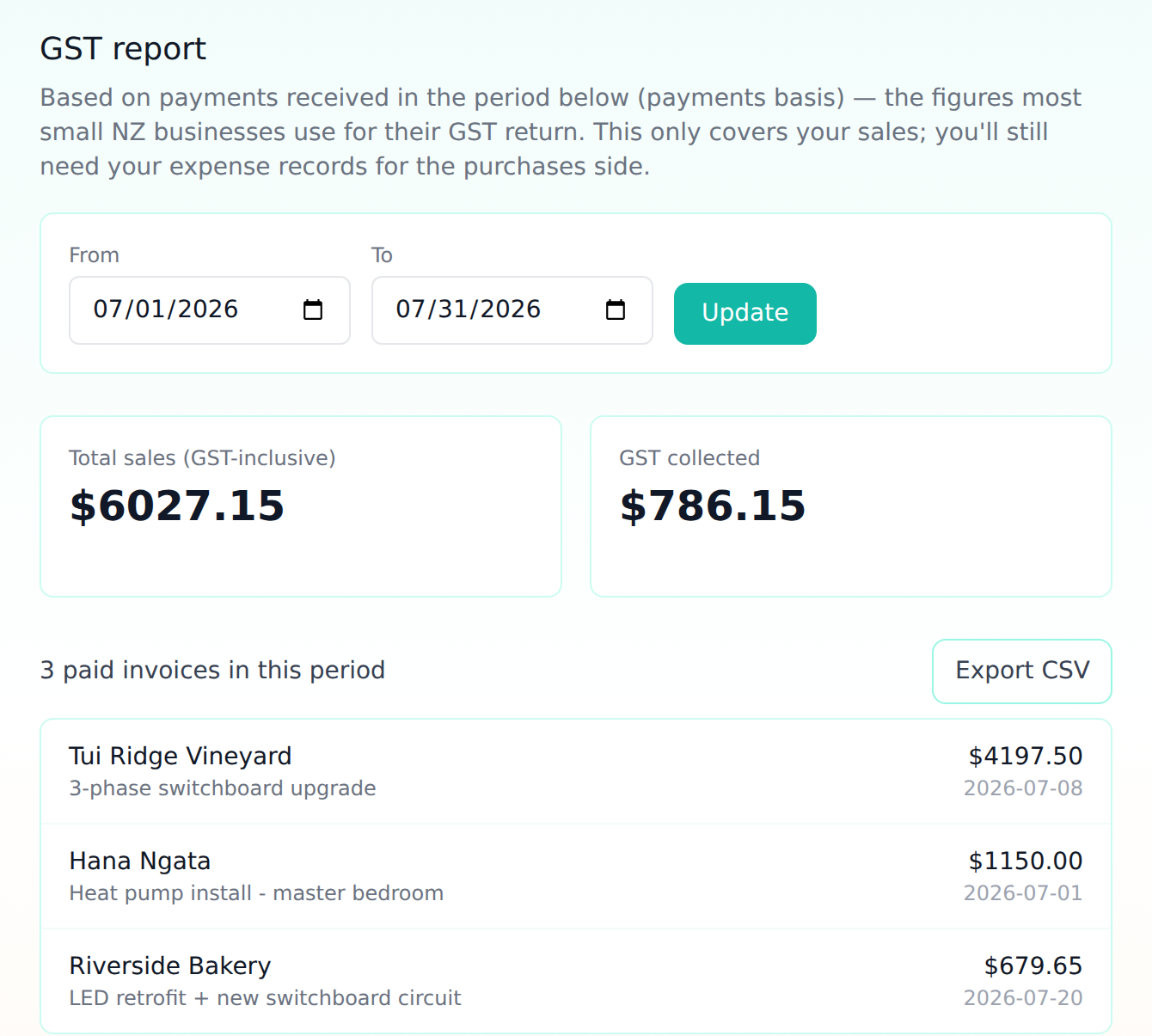

The figures your GST return starts from

One-click CSV export for your accountant
Set it up once
Your rates, your terms
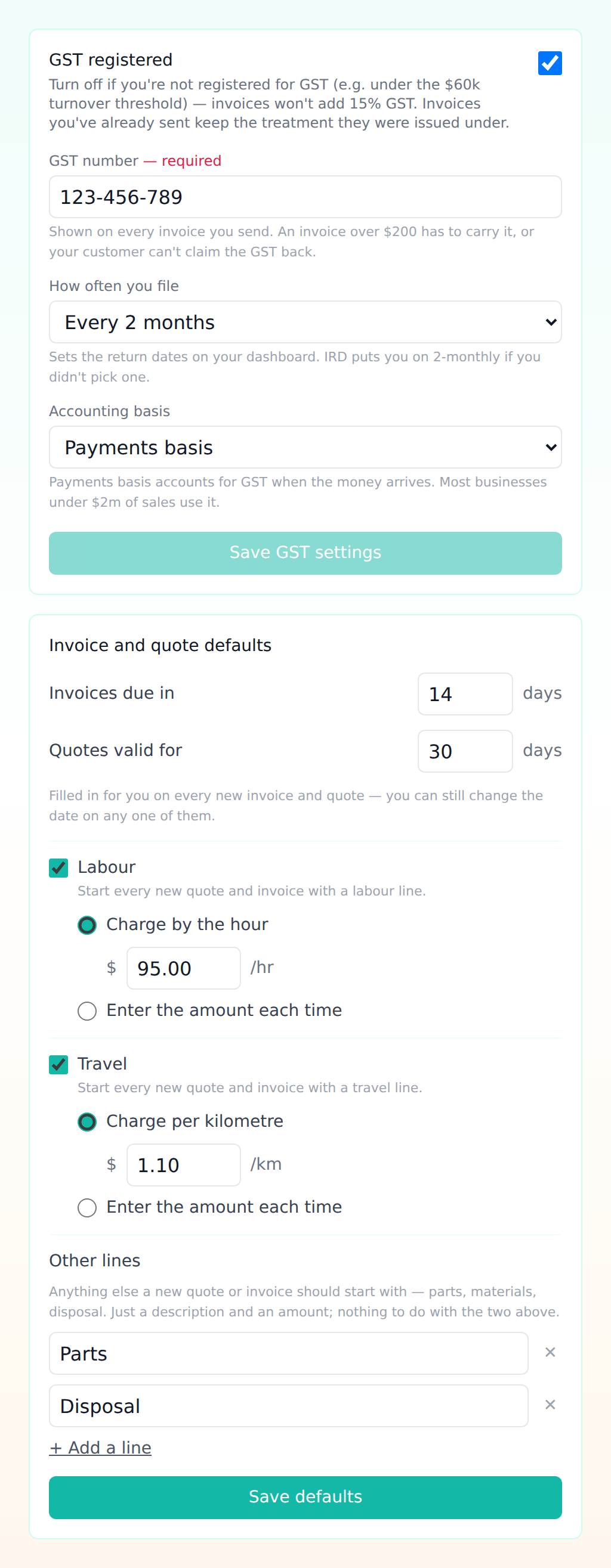
Hourly rate, per-kilometre rate, how long invoices have to be paid and how long quotes stay valid — set once, filled in on everything you send after that.
The lines you always use
Labour, travel, parts, disposal — whatever a job of yours is made of. Every new quote and invoice starts with them, ready to price.
GST, sorted in one place
Registration, your GST number, and how often you file. PayMint won't let you send an invoice that charges GST without the number on it — because your customer can't claim it back without one.